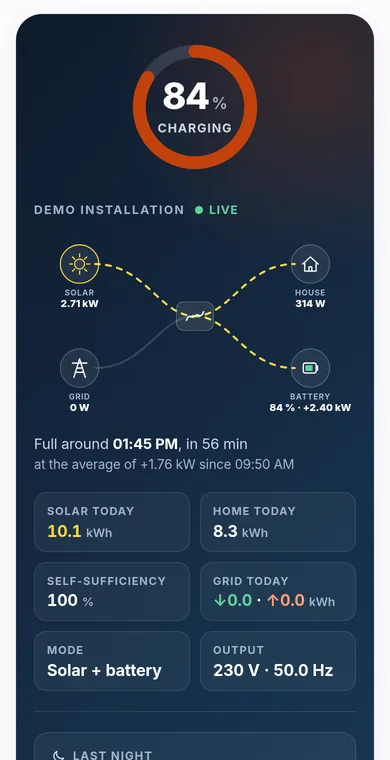
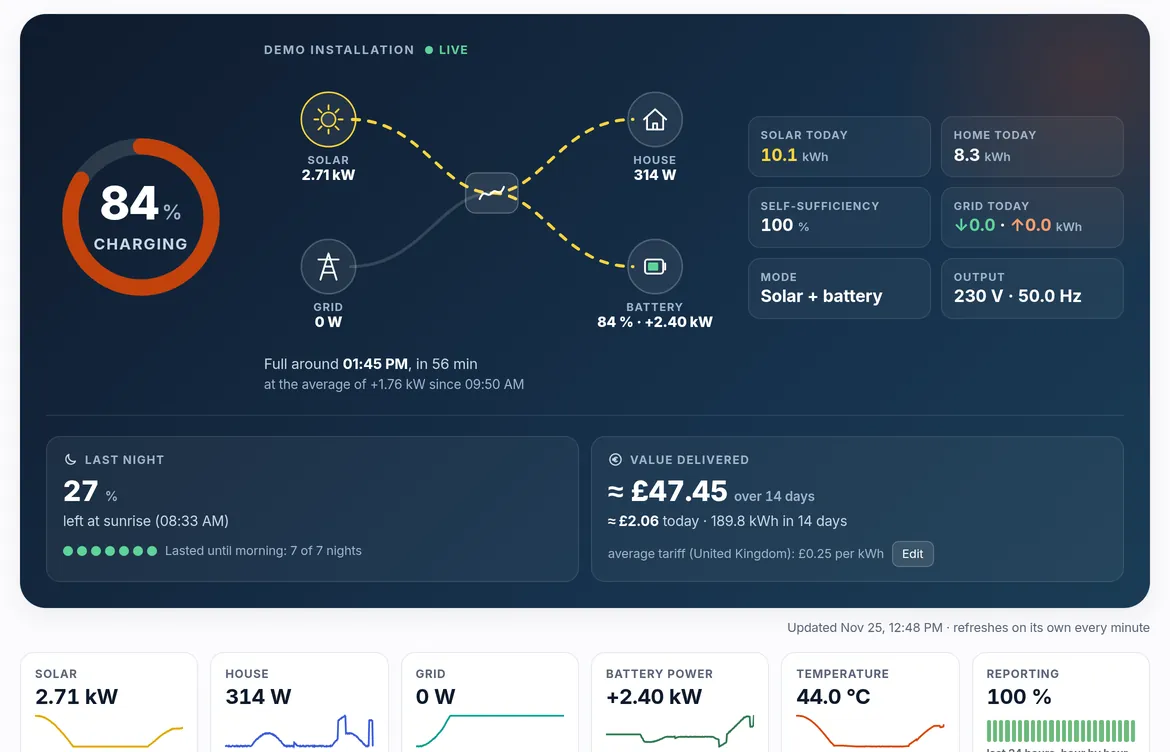
What appears online
The online dashboard shows what the box reads on the inverter's Modbus socket: total solar power and each string, battery charge, power and temperature, grid power in both directions, house load and the energy of the day. It refreshes every minute, with no port forwarding and no VPN.
Single-phase and three-phase systems share the same overview; per-phase figures stay on the local page.
Turning it on
- Open
http://sunsynk-monitor.local, then Settings > Access key & Cloud. - Tick the option, save and copy the access key.
- Sign in to the Cloud dashboard of this site with your e-mail address and paste the key.
Figures appear within two minutes. Your inverter settings and your Sunsynk data logger are not touched.
Three years of history
Day by day, the Cloud shows what your panels made, what went to the grid and what you bought back. That is what you need to judge an export tariff, a second battery or a heat pump. Any period exports as CSV.
One e-mail when it goes quiet
After six hours without figures, one e-mail: usually a router restart, a tripped breaker or a new Wi-Fi password. Nothing more until it comes back.
For your installer
Your installer can follow your system from their own account with the access key you give them, never your password. Change the key whenever you like.
Off by default, free
No subscription. Figures travel encrypted to a private link that only your key opens. Untick the option and the box stops sending at once; stored figures are deleted on request. At home, the box works without it.